

Alerts
Set a portfolio alert once and it watches every stock you own — and keeps watching when you buy or sell, without you changing anything.
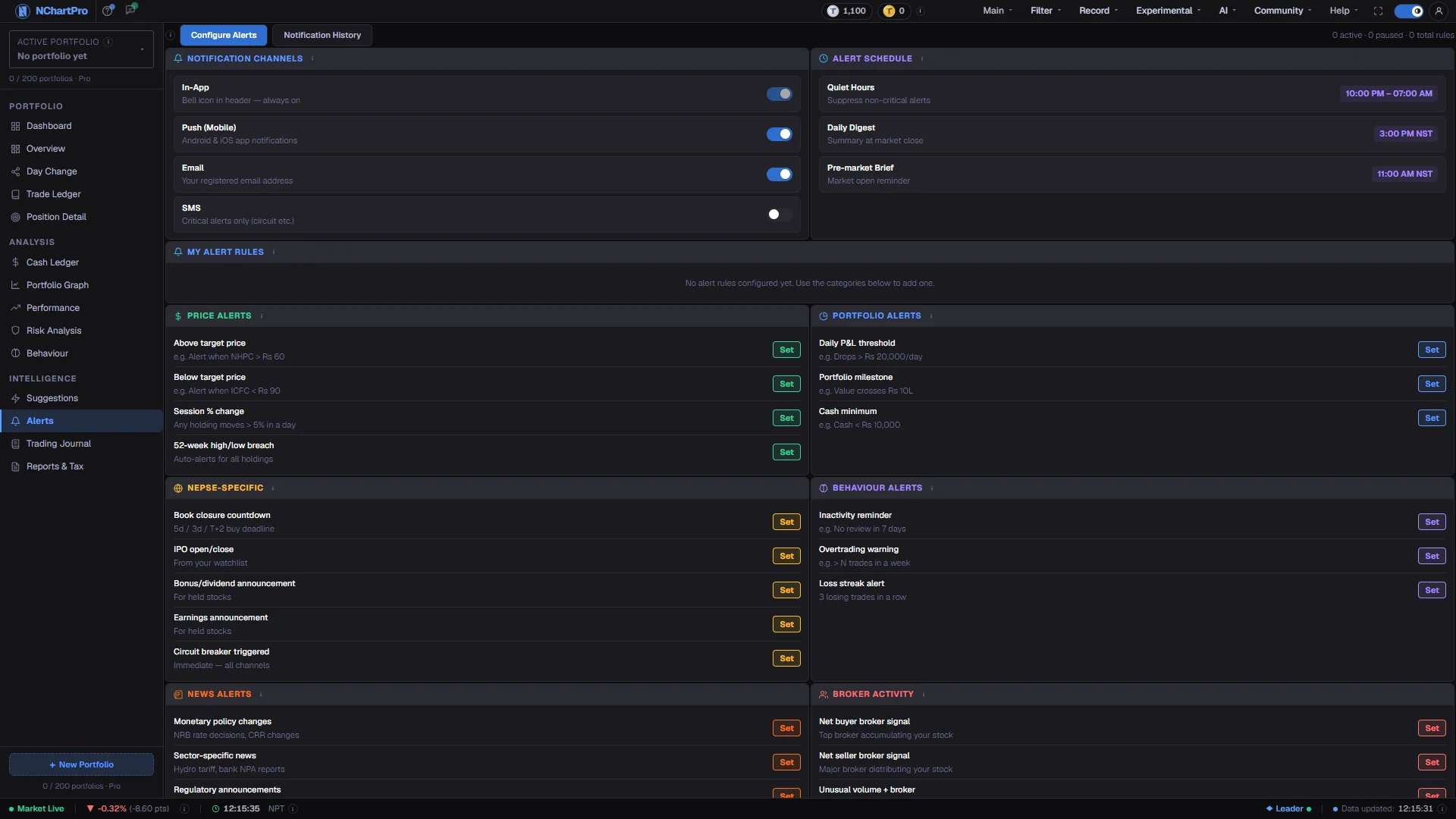
What this page is
This page makes PORTFOLIO alerts only. A portfolio alert does not watch one stock you type in; it watches every stock in your portfolio, in all your portfolio accounts together.
There are four kinds: Profit or loss on a holding, A holding moves a lot today, Portfolio value moves today, and Book close, dividend or bonus.
When you buy or sell, the alert follows your holdings by itself — straight after a trade you record, and in any case every 10 minutes.
The page has two tabs. My portfolio alerts is where you add, pause and delete them. Alerts that fired lists the portfolio alerts already sent to you.
Every other alert — indicators, Fibonacci, volume, SMC, chart and candle patterns, price levels, trend breaks — is made on the chart's Alert panel.
An alert only tells you. It never buys or sells for you.
Why it helps you
- "A holding moves a lot today" is the intraday one: set it at 4% and you hear about a holding that is running or falling without watching every chart.
- "Portfolio value moves today" at 2% down is a simple risk alarm for a bad day across everything you hold.
- Set the book close alert first. To get a dividend, bonus or right share you must be on the register, and NEPSE settles two trading days after the trade (T+2) — so you must buy at least two trading days before the book close date.
- "Profit or loss on a holding" compares the price with what you paid (your average cost). 10% profit or 10% loss is a common start.
When to use it, and where to find it
- Once, when you start using the portfolio — four alerts cover most needs.
- Before a book close season, so the T+2 buying deadline does not pass unnoticed.
- Every few weeks in Alerts that fired, to switch off an alert that fires so often you ignore it.
- Main → Portfolio → Alerts.
- Chart alerts are on the chart's Alert panel (AL button); watch-list Buy / Sell / Stop alerts, quiet hours and the phone test are on Experimental → Alerts.
Try it — a short walkthrough
- 1Open the pageGo to Main, then Portfolio, then Alerts. The tab "My portfolio alerts" is open, with the card "Add a portfolio alert" on the left and your alerts on the right.See this part in detail →
- 2Pick a kindIn "Add a portfolio alert", press one of the four kinds. Its settings open under it.See this part in detail →
- 3Fill in the numbersProfit or loss: the percent and Profit, Loss or either. Big move today: the percent and the direction. Portfolio value: the percent and the direction. Book close: which events (book close, cash dividend, bonus, right share) and how many days before.See this part in detail →
- 4
- 5Choose where to send itIn app, Phone push and Email. At least one must be on. Phone push is greyed when your plan does not include phone alerts.See this part in detail →
- 6Press Save alertThe alert appears in "My portfolio alerts", switched on. The counter at the top right shows how many are on and paused.See this part in detail →
- 7Pause or deleteThe switch pauses and resumes an alert. Delete removes it — the first press asks "Sure? Delete".See this part in detail →
- 8See what firedOpen the "Alerts that fired" tab. New ones are also under the bell in the top bar.See this part in detail →
Every part of the page
In the order you meet them on screen, each with a close-up of the real thing. The numbers match the dots on the figure above.
My portfolio alerts and Alerts that fired
Two tabs. "My portfolio alerts" is where you make, pause and delete alerts. "Alerts that fired" lists every portfolio alert already sent to you, newest first.
How — The text at the right counts your alerts: how many are on and how many are paused.
- Check "Alerts that fired" after a week: an alert that fires every day is one you will start to ignore.
Add a portfolio alert
Four kinds: Profit or loss on a holding, A holding moves a lot today, Portfolio value moves today, and Book close, dividend or bonus.
How — Press a kind. Fill in its numbers (a percent, the direction, or how many days before), pick how often (Only once, Once a day, Every time), pick where to send it (In app, Phone push, Email), then press Save alert.
- "Plan limit" means you already have as many alerts on as your plan allows — switch one off or upgrade.
- Phone push is greyed when your plan does not include phone alerts.
- Book close matters most: you must buy at least two trading days before the book close date (T+2) to be on the register.
My portfolio alerts
Every portfolio alert you made: what it watches, how often, and when it last fired.
How — The switch pauses or resumes an alert. Delete removes it — press twice, the first press asks "Sure? Delete".
- Paused alerts keep their settings and do not count toward your plan's alert number.
- Portfolio alerts and chart alerts share the same plan number (for example 10 on Basic).
Reading the numbers
- A row in My portfolio alerts shows the kind, its settings, how often, and when it last fired.
- "Plan limit" on a kind means you already have as many alerts on as your plan allows. Portfolio and chart alerts share one number (Basic 10, Advance 20, Pro 30, Master 50).
- In Alerts that fired, the title names the stock and what happened, for example "NABIL (you hold it) is up 4.2% today".
The four portfolio alerts
Kinds and their settings
Each kind watches all your holdings at once.
| Profit or loss on a holding | A stock you hold reaches your profit or loss percent, compared with what you paid. Settings: percent (start 10%), Profit / Loss / either. |
| A holding moves a lot today | A stock you hold is up or down by your percent today, compared with yesterday's close. Settings: percent (start 4%), direction. |
| Portfolio value moves today | The value of everything you hold is up or down by your percent today. Settings: percent (start 2%), direction (start: down). Tip: Needs prices for most of your holdings; it waits until it has them. |
| Book close, dividend or bonus | Some days before a book close, cash dividend, bonus or right share of a stock you hold. Settings: which events, days before (start 3). Tip: Checked each morning at 9:00 from the corporate calendar. |
| How often | Only once, Once a day, or Every time. |
| Send to | In app, Phone push, Email (email: at most 30 alert emails a day). |
What it does not do
- Holdings come from your portfolio records. A trade you have not recorded is not watched.
- Profit and loss use your average cost as recorded, before fees.
- Book close dates come from the corporate calendar; a date not yet announced cannot be alerted.
- Free accounts have no alerts. Phone pushes need a plan that includes them and the NChartPro app signed in.
- An alert never trades and is not advice.
Questions people ask
No. One portfolio alert watches every stock you hold, and follows new buys and sells by itself.
On the chart: open the Alert panel (AL), press + Add alert, then the gear, and pick Price range → Price level.
NEPSE settles two trading days after the trade. To be on the register on the book close date, you must buy at least two trading days before it.
No. It only tells you. You place the order yourself through your broker.