

Bar Replay
Reading a chart you have already seen the end of is not reading a chart. Bar replay hides the future and gives it back one candle at a time, at whatever pace you can think.
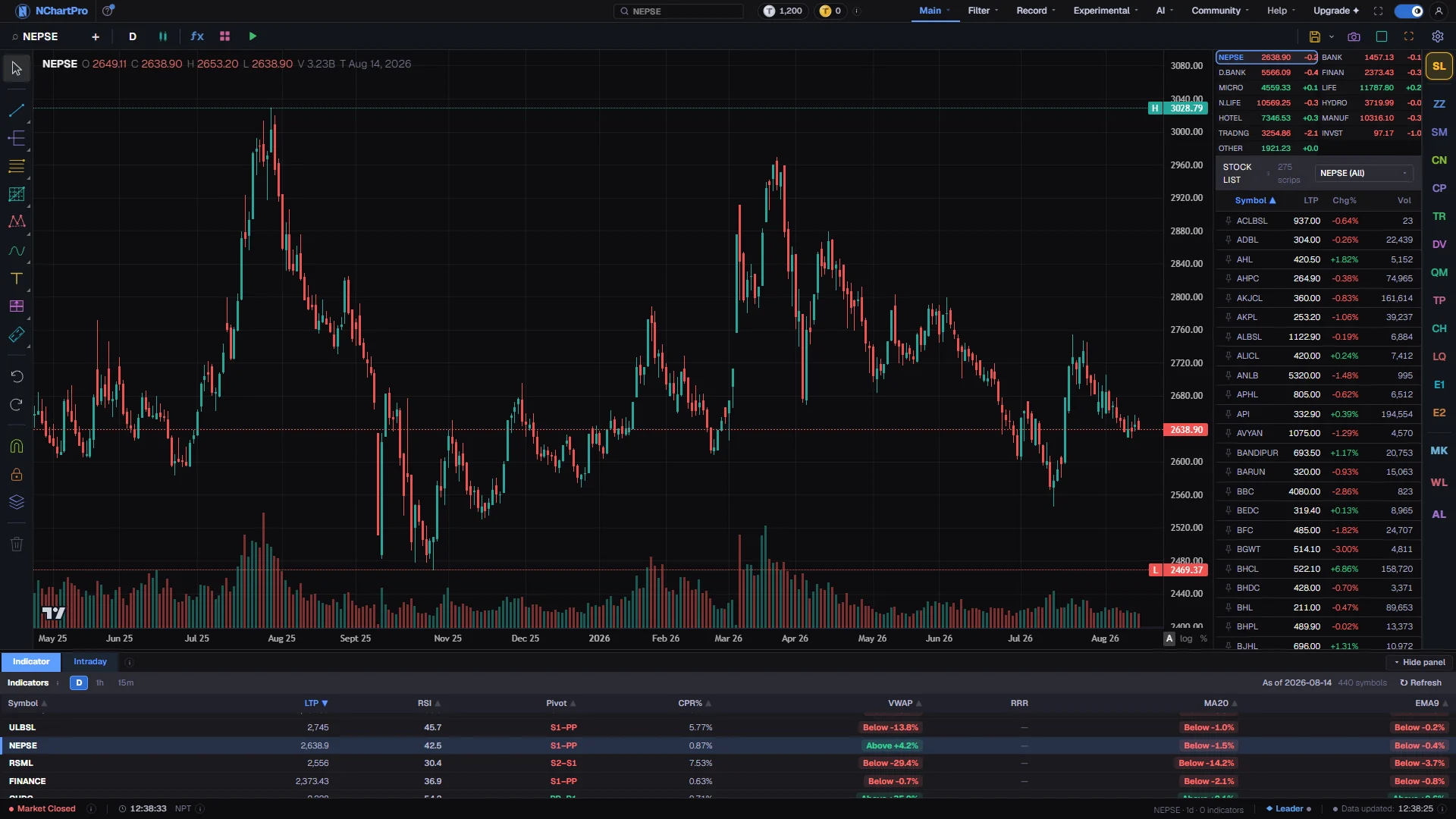
What this page is
Bar replay is the play button on the chart toolbar, sitting just after the indicator template button. Pressing it opens a small panel holding the whole transport: play and pause, a step back, a slider across the entire series, a step forward, three speeds, a position readout and a reset.
What it actually does is simple. It holds a cut point somewhere in the series and the chart draws only the bars before it. Playing moves the cut forward one bar at a time; stepping moves it one bar; dragging the slider moves it anywhere. Everything to the right of the cut is hidden, including from you.
It is not a separate mode or a separate page. Your indicators, drawings and detector marks are all still on the chart, and they see only the revealed bars, which is the point — an indicator that has already seen tomorrow teaches nothing.
The status bar along the bottom of the page carries the position too, so you can tell at a glance that the chart is wound back rather than showing a stock that has stopped trading.
Why it helps you
- This is the only practice available when the market is shut, which is most of the time. Wind a stock back six months and trade the same setup twenty times in an evening.
- Use it on the setup you claim to trade. Wind back to just before the level, decide out loud where the entry and the stop go, then step forward. The honest version of that exercise is uncomfortable, which is why it is worth doing.
- Step, do not play, at the moment that matters. One bar at a time forces a decision on each candle instead of letting a run of them wash past.
- Pair it with the practice-trading tab in the panel below the chart when you want the decision recorded rather than remembered.
- Set the chart to the daily or weekly view first. Replaying minute bars teaches a long holder nothing; replaying two years of weeks shows how long a drawdown actually feels.
- It is the cheapest way to test patience. Wind back to a crash, step forward a week at a time, and count how many weeks you would have had to hold through before the recovery began.
- Replaying a company through an earnings or bonus announcement shows what the market did with the news rather than what the headline said.
When to use it, and where to find it
- Any evening or weekend when the market is closed and you want screen time that is not just waiting.
- Straight after a losing trade, on the same stock, to see whether the signal you acted on was really visible before the outcome was.
- When you are learning a new indicator or pattern, before you risk anything on it.
- Never during a fast-moving session on the chart you are trading from — the chart is wound back, so it is not showing you the market.
- The play button is on the chart toolbar at the top of /main/chart.
- In a split layout the toolbar drives whichever window you last clicked in, so only that window replays.
Try it — a short walkthrough
- 1Open the transportClick the play button on the toolbar — its tooltip reads "Bar replay". A small panel drops down with the controls in it. If the button is grey there are no bars on the chart yet.
- 2Choose where to startDrag the slider left. It runs from the first bar to the last, and releasing it leaves the chart showing everything up to that point and nothing after. Pressing play instead, with the whole series on screen, rewinds two hundred bars for you.
- 3Walk forward by handUse the step-forward button to reveal exactly one more candle. Step back undoes it. Both stop playback if it was running, which is what you want when something has caught your eye.
- 4Let it runPress play. Choose a speed from the three buttons — each is labelled with how many bars per second it reveals, so eight is a candle every eighth of a second. Playback stops itself when it reaches the live edge.
- 5Check where you areThe readout at the right of the speed row shows the revealed count against the total, and the status bar at the bottom of the page carries the position as well.
- 6Give the chart backPress Reset — its tooltip reads "Show every bar again". The full series returns and playback stops. Changing symbol or timeframe does the same automatically.
Every part, up close
The Chart page — replay is the play button on the top bar. Each part with a close-up of the real screen; the numbers match the dots on the picture.
The play button
Pressing it opens the transport — play, step, slider, three speeds and reset — just after the indicator template button.
The hidden half
Everything to the right of the cut point stops being drawn, and your indicators, drawings and detector marks see only the bars that are left.
Where you are
The bar along the bottom carries the replay position too, so a wound-back chart cannot be mistaken for a stock that stopped trading.
Reading the numbers
- The three speeds are two, four and eight bars per second. The baseline is one bar per second, so eight reveals a candle every hundred and twenty five milliseconds.
- The number on the left of the readout is how many bars are revealed; the number on the right is how many exist. When the two match, nothing is hidden and Reset is unavailable because there is nothing to undo.
- Dragging the slider or pressing either step button pauses playback, exactly as dragging a video scrubber pauses the video. Press play again to carry on from where you left it.
- Pressing play when the whole series is already on screen does not sit there doing nothing — it rewinds two hundred bars first, so play always plays something.
- Changing symbol or timeframe switches replay off. The cut point counted bars in the old series, and keeping it would leave you at an arbitrary and meaningless point in the new one.
- On an open market the last bar of the full series is still forming. Replay to the live edge and you have caught up with a candle that is not finished yet.
What it does not do
- It replays bars that already exist. It is not a simulation of live order flow — there is no book, no queue, no spread, no partial fill and no slippage, and a price you decide you would have got is a price you decided you would have got.
- It cannot show you anything the chart does not already hold. The series is what was downloaded for the current symbol and timeframe, so winding back further than that is not possible.
- A candle is a summary, not a recording. Replaying daily bars will not tell you whether the low came before the high inside the day, which is often exactly the question a stop depends on.
- The chart is wound back while replay is on, and it looks like an ordinary chart. The status bar is the reminder — check it before reading a price off a chart you left in replay.
- Nothing about replay is saved. Closing the page, changing symbol or changing timeframe returns the chart to the full series.
Questions people ask
Because the chart has no bars — usually a symbol still loading, or one with no data for the timeframe you chose. It stays grey rather than coloured on purpose, so it never looks clickable when it is not.
No. Beyond that the candles arrive faster than they can be read, which defeats the exercise. Drag the slider instead if you only want to get somewhere quickly.
The chart draws only the bars before the cut, so what is on screen is computed from what has been revealed. That is the whole reason the feature is useful for practice.
The practice-trading tabs under the chart are a separate system that works against real prices. Replay is for reading the chart, not for filling orders in the past.
No, it is deliberate. The cut point is a count of bars, and the same count in a different timeframe would put you at a random date. Wind back again on the new timeframe.