

Trade Levels
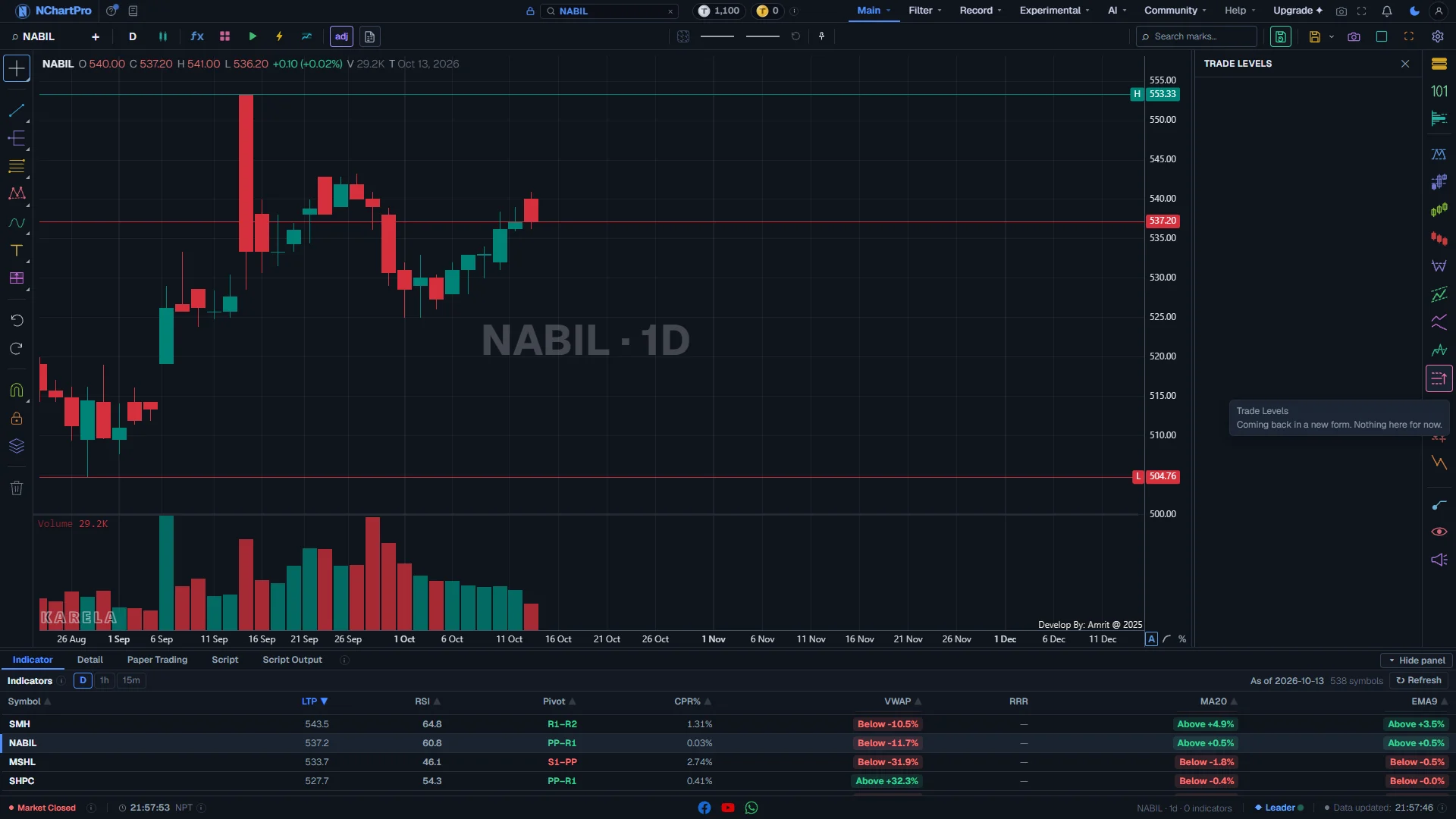
The Trade Levels chip is empty for now. The old entry, stop and target lines were removed on purpose. A new version will come later.
What this page is
The TP chip is still on the chart, but its panel has no switches.
Nothing from this chip is drawn on the chart.
Why it helps you
- Use the Chart Pattern chip (CP) to find a shape. Mark your own buy, stop and target with the drawing tools until Trade Levels is back.
- Nothing to do here for now.
When to use it, and where to find it
- Not yet — check What's New for when it comes back.
What you see today
The Trade Levels (TP) panel open on NABIL — empty on purpose. Each part with a close-up of the real screen; the numbers match the dots on the picture.
Trade Levels panel
The panel opens with its name at the top and nothing under it. That is correct — it is not broken.
How — Close it with the ✕, the Escape key, or by clicking the TP chip again.
- No switches: nothing from this chip is drawn on the chart.
- If you had old Trade Levels lines switched on, opening this panel once clears them from your saved chart.
The TP chip
The chip stays on the rail so your plan and saved charts keep working while the new version is built.
How — Hover it to read its note: "Coming back in a new form. Nothing here for now."
Your chart
Nothing is drawn here by TP. Lines you see come from other chips or from your own drawings.
How — Until Trade Levels is back, mark your buy price, stop and target with the drawing tools on the left rail.
What it does not do
- The panel is empty. It is not broken.
Questions people ask
They were removed on purpose. The chip will come back with a new design.