

Trend
Trend indicators answer one question in different ways: which direction is this in, and where would that stop being true. Sixty-nine of the 276 sit in this category, and almost all of them draw straight onto your candles.
What this page is
The trend category holds 67 entries, and it is the one you reach for first because it is the only category that gives you levels. A momentum oscillator tells you the move is strong; a moving average tells you the price at which it would no longer be a move at all. That is what makes these the indicators people actually place orders against.
Sixty of the 67 are overlays, drawn on the price scale over your candles. Only seven sit in a pane of their own: Linear Regression Slope, MA Trend Agreement, the Gator Oscillator, TTM Trend, the Accumulative Swing Index, the Impulse System and Moving Average Compression. Each of those reduces a trend to a number or a state rather than to a price. Because overlays never take a Source, everything in this category except those seven is computed on the candles themselves.
The 67 fall into nine families. The classic moving averages differ only in how they weight recent bars against old ones, which is a trade between lag and noise and nothing else. The adaptive averages change that trade automatically as the market changes. Regression lines fit a straight line rather than take a mean. Ribbons show several averages at once. Bands and channels wrap price. Trailing stops follow it from one side. Pivot ladders precompute the day levels. Ichimoku is a whole system. The last two are trend states reported as a number.
Every one of them lags, and none of them can avoid it. An average of the last twenty bars cannot know about the twenty-first. The lists below say which entries buy their speed with overshoot and which buy their smoothness with delay, because that is the only real difference between most of the first two families.
Why it helps you
- Pick one average and learn it rather than sampling twenty. The differences between an EMA, a WMA and a Hull average on a Nepali stock over a week are far smaller than the difference between choosing 9 and choosing 50.
- The trailing stops are the most directly usable entries here. SuperTrend, Chandelier Exit and Parabolic SAR each give you a price to leave at that moves in only one direction, and that is a rule you can follow without judgement.
- Pivot Points Standard computes the day levels for you from the previous session, which is the same arithmetic most intraday traders do by hand before the open.
- The Price Channel is the cleanest breakout definition on the page, because the level is visible before it breaks rather than named afterwards.
- On a daily or weekly chart a long moving average is a holding rule, not a trading signal. Price above a rising 200 period average and price below a falling one are two genuinely different situations for a long-term position.
- The Ichimoku Cloud reads well on weekly data. The cloud gives a zone rather than a line, which suits a decision you will act on over months.
- The ribbon entries, Moving Average Ribbon and Multiple Moving Average, are a fast way to see whether short-term and long-term holders are pulling the same direction without adding six separate averages.
- Ignore the fast adaptive filters. Their whole purpose is to shave bars off a turn, which is a benefit measured in hours and irrelevant at a horizon measured in years.
When to use it, and where to find it
- Add a trend indicator first, before anything from momentum. Whether a market is trending decides which momentum reading means anything: an overbought oscillator is a warning in a range and normal in a trend.
- Use the pivot entries before the open. They are computed from the previous session and do not change during the day, which is what makes them worth writing down in advance.
- Reach for the adaptive family when a plain average keeps whipsawing you. That is exactly the condition Adaptive Moving Average, FRAMA and VIDYA were built for.
Try it — a short walkthrough
- 1Filter the catalog to trendOpen fx on the chart toolbar and click the trend chip. The counter beside the title reads 69 of 276 and the list shows only this category, sorted by name.
- 2Put a fast and a slow average on togetherAdd Exponential Moving Average, open its gear and set Period to 9. Add it a second time at 21. Two legend rows appear, and where they cross is the classic two-average signal.
- 3Swap the whole family from one dropdownInstead of adding nine entries, add Moving Average (selectable) and change MA Type in its Inputs tab. The same line becomes an SMA, EMA, WMA, DEMA, TEMA, TRIMA, KAMA, MAMA or T3 without leaving the dialog.
- 4Add a stop you can actually useAdd SuperTrend. It draws a band on one side of price and flips to the other side on a close through it. Widen Multiplier from 3 to 4 and watch how many flips disappear.
- 5Use a moving average as the source for an oscillatorLeave one single-line average on the chart, add Relative Strength Index, open its gear and pick that average under On this chart in the Calculate on row. Only trend overlays with exactly one line can be chosen this way.
Every part, up close
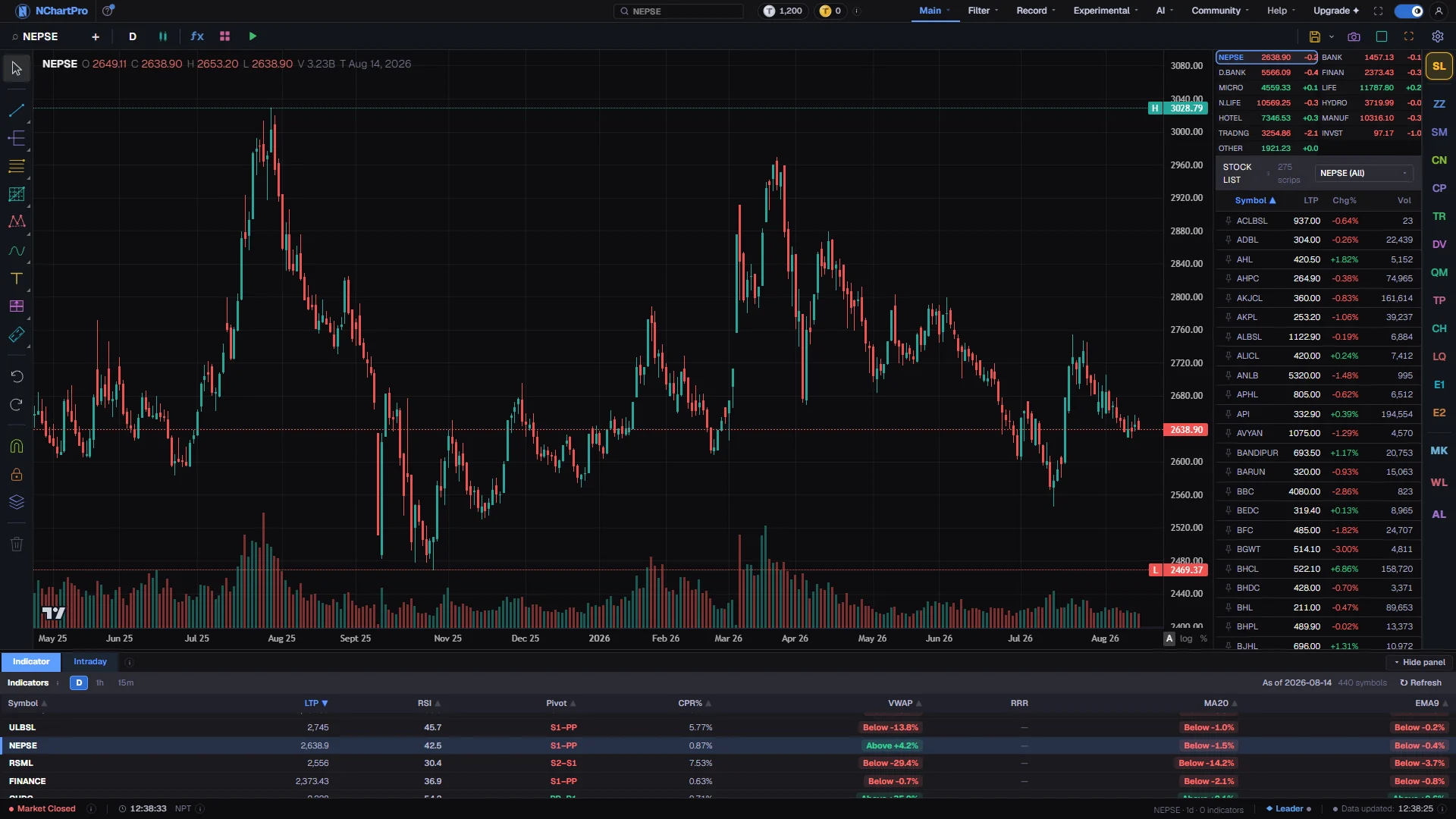
The Chart page — 60 of these 67 draw on the candles themselves. Each part with a close-up of the real screen; the numbers match the dots on the picture.
The trend chip
Open fx and click trend, and the counter reads 69 of 276 — the only category that hands you a price rather than a score.
Lines over price
Averages, ribbons, bands, channels and trailing stops are all drawn across the candles, because each one outputs a level you can place an order against.
Every indicator in this category
Grouped into families, in the order they are explained. Each preview is the indicator computed on real NABIL daily bars by the same engine the chart runs — click one for a full-size picture and a line-by-line description of what it draws.
Moving averages, the classic family18
Eighteen entries that differ only in how they weight the bars in their window. Everything above SMA in this list is trying to reduce lag; everything below TRIMA is trying to reduce noise. All are overlays.
| SN | Preview | Indicator | Short name | Draws | What it measures |
|---|---|---|---|---|---|
| 1 | SMA | overlay | By Classical technical analysis The plain average of the last N closes, and the line price is most often measured against.Period 20 | ||
| 2 | EMA | overlay | By Classical technical analysis Weights recent bars more heavily, so it turns sooner than an SMA of the same length.Period 20 | ||
| 3 | WMA | overlay | By Classical technical analysis Weights fall off in a straight line from newest to oldest; faster than an SMA, steadier than an EMA.Period 20 | ||
| 4 | DEMA | overlay | An EMA with its own lag subtracted back out, so it hugs price through a turn. Period 20 | ||
| 5 | TEMA | overlay | The same correction applied again: faster than DEMA and correspondingly twitchier. Period 20 | ||
| 6 | TRIMA | overlay | By Classical technical analysis Double-smoothed so the middle of the window dominates; the smoothest plain average, and the slowest.Period 20 | ||
| 7 | T3 | overlay | A cascade of exponential averages blended by a factor you set; unusually smooth for the lag it costs. Period 5, Volume Factor 0.7 | ||
| 8 | LRMA | overlay | Combines a half-length and a full-length weighted average to be fast and smooth at once. Period 9 | ||
| 9 | VWMA | overlay | By Classical technical analysis An average that weights each bar by the volume traded in it, so heavy sessions pull it harder.Period 20 | ||
| 10 | GWMA | overlay | By Arnaud Legoux & Dimitrios Kouzis-Loukas · published as Arnaud Legoux Moving Average (ALMA) · 24 November 2009 · source A bell-shaped weighting, which produces less edge noise than a linear one.Period 9 | ||
| 11 | ZLEMA | overlay | An EMA fed a lag-compensated price; most of the delay goes, at the cost of overshooting a sharp turn. Period 20 | ||
| 12 | RMA | overlay | The slow average that RSI, ATR and ADX are all built on; an RMA of 14 lags about like an EMA of 27. Length 14 | ||
| 13 | SINWMA | overlay | Weights follow a half sine wave, peaking in the middle of the window and tapering to nothing at both ends. Length 14 | ||
| 14 | PWMA | overlay | Binomial weights, which are the discrete form of a bell curve. Length 10 | ||
| 15 | FWMA | overlay | Fibonacci weights, so the newest bars count for far more than a linear weighting gives them. Length 10 | ||
| 16 | SWMA | overlay | A fixed four-bar kernel that takes the edge off a series without shifting it forward or back. | ||
| 17 | MA | overlay | By Classical technical analysis One line whose type is a dropdown, covering SMA, EMA, WMA, DEMA, TEMA, TRIMA, KAMA, MAMA and T3 in a single entry.Period 30, MA Type 0 | ||
| 18 | DMA | overlay | By Classical technical analysis A simple average shifted forward or backward in time, which turns an average into a projected level.Period 20, Displacement 5 |
Adaptive and filtered averages10
Ten entries that change their own speed as the market changes, rather than making you choose one length for every condition. All are overlays.
| SN | Preview | Indicator | Short name | Draws | What it measures |
|---|---|---|---|---|---|
| 19 | AMA | overlay | By Perry J. Kaufman · published as Kaufman's Adaptive Moving Average (KAMA) · Smarter Trading, 1995 · source Runs fast when price is moving in one direction and nearly stops in chop, judged by net move against total travel.ER Period 10 | ||
| 20 | MAMA | overlay | Two lines whose speed tracks the measured dominant cycle; MAMA leads and FAMA follows, and the crossing is the signal. Fast Limit 0.5, Slow Limit 0.05 | ||
| 21 | Dynamic | overlay | A self-correcting average that closes the gap to price quickly in a fast market and drifts in a slow one. Period 14 | ||
| 22 | FRAMA | overlay | Sets its own speed from how jagged the recent bars are, so it runs short in a trend and flattens in a range. Length 16, Slow Limit 200 | ||
| 23 | VIDYA | overlay | Speeds up exactly when momentum is one-sided, by scaling its smoothing with a momentum reading. Length 14 | ||
| 24 | TAMA | overlay | By Charles C. Holt & Peter R. Winters · published as Holt-Winters Moving Average (HWMA) · Holt-Winters smoothing, 1957 / 1960 · source Tracks a level, a speed and an acceleration together, so it bends into a turn instead of lagging through it.3 parameters | ||
| 25 | SSF | overlay | A low-pass filter that removes the bar-to-bar alternation an EMA passes straight through, for far less lag than an SMA of the same length. Length 20, Poles 0 | ||
| 26 | Decycler | overlay | By John F. Ehlers · published as Ehlers Decycler · Rocket Science for Traders, 2001 · Cybernetic Analysis, 2004 · source Price with every cycle shorter than the cutoff subtracted out, leaving the trend and almost no lag.Cutoff Period 125 | ||
| 27 | ITrend | overlay | A trend line built to have no lag inside the dominant cycle, with a trigger line that leads it by two bars. Alpha 0.07 | ||
| 28 | Recursive | overlay | By John F. Ehlers · published as Laguerre Filter · Rocket Science for Traders, 2001 · Cybernetic Analysis, 2004 · source Gets heavy smoothing out of very little price history; gamma nearer 1 is smoother and slower.Gamma 0.8 |
Regression and price-derived lines8
Eight entries that fit a straight line rather than take a mean, or that simply restate each bar as a price of their own.
| SN | Preview | Indicator | Short name | Draws | What it measures |
|---|---|---|---|---|---|
| 29 | LinReg | overlay | The end point of a best-fit straight line through the last N closes, redrawn bar by bar. Period 14 | ||
| 30 | LinReg Slope | pane | How steep that best-fit line is; above zero it is rising, and the size is the rate. Period 14 | ||
| 31 | TSF | overlay | The same fit extended one bar forward, so it sits slightly ahead of the regression curve. Period 14 | ||
| 32 | Avg Price | overlay | By Classical technical analysis The mean of each bar open, high, low and close, as one line. | ||
| 33 | Weighted Close | overlay | By Classical technical analysis A per-bar price that counts the close twice, optionally smoothed.Smoothing Period 1 | ||
| 34 | Midpoint | overlay | By Classical technical analysis The middle of the highest and lowest close over the lookback.Period 14 | ||
| 35 | Midprice | overlay | By Classical technical analysis The middle of the highest high and lowest low over the lookback.Period 14 | ||
| 36 | Smooth HA | overlay | A Heikin Ashi bar — open, high, low and close each averaged rather than taken raw — with a moving average run over the input and again over the result, drawn as four lines rather than as candles. 4 parameters |
Ribbons and multi-average reads7
Seven entries that plot or summarise several averages at once, so you read agreement rather than a single line.
| SN | Preview | Indicator | Short name | Draws | What it measures |
|---|---|---|---|---|---|
| 37 | MA Ribbon | overlay | By Classical technical analysis Four EMAs at 8, 13, 21 and 34 together; fanned out and in order is a trend, tangled is not. | ||
| 38 | MMA | overlay | By Daryl Guppy · published as Guppy Multiple Moving Average (GMMA) · Trend Trading · GuppyTraders.com · source Six short averages against six long ones, reduced to two lines; the gap between them is short-term traders disagreeing with long-term holders. | ||
| 39 | Rainbow | overlay | Ten averages each smoothed from the one above; the band widens as a move accelerates and collapses at a turn. SMA Period 2 | ||
| 40 | Alligator | overlay | Three shifted smoothed averages; intertwined the market is asleep, fanned out in order it is feeding. 6 parameters | ||
| 41 | Gator | pane | The Alligator jaws as two mirrored histograms; both bars shrinking is the trend going to sleep. 6 parameters | ||
| 42 | MAT | pane | Reads +1 while a fast and a slow average are both rising and correctly stacked, -1 while both are falling, 0 when they disagree. Fast Length 8, Slow Length 21, Lookback 2 | ||
| 43 | MAC | pane | By Classical technical analysis The spread of five averages as a percentage of price; near zero every average agrees and the market is coiled.Base Length 10, Step 10 |
Bands and channels9
Nine entries that wrap price between two edges, so the question becomes whether price is inside or outside rather than above or below.
| SN | Preview | Indicator | Short name | Draws | What it measures |
|---|---|---|---|---|---|
| 44 | Envelope | overlay | By Classical technical analysis A simple average with a fixed percentage band either side, drawn with the region between them tinted.Period 20, Percent 2.5 | ||
| 45 | %Bands | overlay | By Classical technical analysis The same idea built around an EMA rather than an SMA.EMA Period 21, Percent 3 | ||
| 46 | MA Band | overlay | By Classical technical analysis A percentage band whose centre line type you choose from SMA, EMA, WMA or RMA.Length 20, MA Type 0, Band % 2 | ||
| 47 | MA Channel | overlay | By Classical technical analysis Averages of the highs and the lows as the two edges, with an average of the close down the middle.Period 20 | ||
| 48 | Channel | overlay | The highest high and lowest low of the lookback with a midline, tinted between; a close outside it is a breakout by definition. Period 20 | ||
| 49 | Fractal Chaos | overlay | Rolling highest high and lowest low, drawn as a band to contain price rather than as a breakout trigger. Period 14 | ||
| 50 | RegTrend | overlay | One best-fit line over the last N bars with parallel bands set at a multiple of the scatter around it. Length 100, Deviation 2 | ||
| 51 | SD Ch | overlay | The same construction recomputed every bar, so the channel walks forward instead of staying anchored. Length 100, Deviation 2 | ||
| 52 | SSL | overlay | Two averages of the highs and the lows that swap roles when price closes through one, so the pair is always a stop line and a target line. Length 10 |
Trailing stops and trend followers8
Seven entries that follow price from one side only and flip when they are broken. These are the entries that give you a rule rather than a reading.
| SN | Preview | Indicator | Short name | Draws | What it measures |
|---|---|---|---|---|---|
| 53 | PSAR | overlay | A stop that accelerates toward price and jumps to the other side when it is hit. Step 0.02, Max Step 0.2 | ||
| 54 | SAREXT | overlay | The same with separate long and short acceleration settings and a reversal offset. 8 parameters | ||
| 55 | SuperTrend | overlay | A volatility-width band that tracks one side of price and flips on a close through it; the flip is the whole indicator. ATR Period 10, Multiplier 3 | ||
| 56 | Vol Stop | overlay | By Tushar Chande & Stanley Kroll · published as Chande Kroll Stop · The New Technical Trader, 1994 · source Separate trailing stops for a long and a short position, set a volatility multiple away from the recent extreme.ATR Period 10, Stop Period 9, ATR Multiplier 1 | ||
| 57 | CE | overlay | A stop hung a volatility multiple below the highest high of the lookback, which only ever ratchets toward price and never away. Length 22, ATR Multiplier 3, ATR Length 22 | ||
| 58 | ZigZag | overlay | By Classical technical analysis Joins the swing highs and lows that reversed by more than the set percentage and hides everything smaller.Deviation % 5 | ||
| 59 | ZZS | overlay | By Classical technical analysis Marks confirmed swing highs and swing lows from the bar highs and lows, reported as two separate series so the side of each pivot is known.Deviation % 5, Depth 3 | ||
| 60 | TTM | pane | +1 while the close is above the average midpoint of the last N bars and -1 below; two opposite readings in a row is the signal. Length 6 |
Pivot ladders4
Four entries that compute a fixed set of support and resistance levels once per period from the previous period. They do not move during the period, which is what makes them worth writing down before the open. All four share the same display settings: Pivots Timeframe 0, Number of Pivots Back 15, Show Labels on, Labels Position 0, Show Prices off.
| SN | Preview | Indicator | Short name | Draws | What it measures |
|---|---|---|---|---|---|
| 61 | Pivots | overlay | By Floor-trader practice · variants credit Ken Wood, Nick Scott and Tom DeMark The whole pivot family behind one Type dropdown, covering Standard, Fibonacci, Weighted, Camarilla and Conditional levels.6 parameters | ||
| 62 | Pivots C | overlay | By Floor-trader practice The classic ladder on its own, with the third support and resistance set two full ranges from the pivot.5 parameters | ||
| 63 | CPR | overlay | The narrow three-line zone around the pivot; a tight range going into a session argues for a trending day rather than a range one. 5 parameters | ||
| 64 | CPR Fib | overlay | The central range plus Fibonacci supports and resistances at 0.382, 0.618 and 1.0 of the previous range. 5 parameters |
Ichimoku2
Two entries, one a cut-down version of the other.
| SN | Preview | Indicator | Short name | Draws | What it measures |
|---|---|---|---|---|---|
| 65 | Ichimoku TK | overlay | Just the two fast lines, Tenkan and Kijun, for readers who want the crossing without the cloud. Conversion Period 9, Base Period 26 | ||
| 66 | Ichimoku | overlay | The complete system, with both leading spans shaded into a cloud and the lagging span plotted behind price. The cloud is the one fill on the chart whose colour carries meaning: green where the leading span is on top, red where it is not, split exactly at the crossing. 4 parameters |
Trend state as a number2
Two panes that reduce a whole trend judgement to one value.
| SN | Preview | Indicator | Short name | Draws | What it measures |
|---|---|---|---|---|---|
| 67 | ASI | pane | A running total that weighs each close against the previous close, open and range; its own swing points confirm or reject the ones on the price chart. Limit Move 3 | ||
| 68 | Impulse | pane | +1 when an average and a MACD histogram are both rising, -1 when both are falling, 0 when they disagree. Built as a permission filter rather than an entry signal. 4 parameters |
The in-house band1
One overlay written for this app rather than taken from the standard catalogue.
| SN | Preview | Indicator | Short name | Draws | What it measures |
|---|---|---|---|---|---|
| 69 | karela_band | overlay | By Amrit Shrestha — NChart Pro An in-house band around price, used to judge whether price is stretched away from normal.Count 20 |
What it does not do
- Every entry on this page lags, without exception. An average of the last twenty bars cannot know anything about the twenty-first, and the adaptive family reduces that lag rather than removing it.
- Two averages crossing is not evidence about the future. In a range it happens constantly and means nothing; the same crossing in a trend is worth acting on. That is why a trend indicator is normally paired with something that tells you which of the two you are in.
- Fractal Chaos Bands are a simplified variant. The catalog entry computes a rolling highest high and lowest low rather than gating on confirmed fractals, so it is a band, not the classic breakout indicator of that name.
- Multiple Moving Average is a simplification too: it plots the mean of the six short averages against the mean of the six long ones rather than all twelve lines.
- Parabolic SAR is drawn as a line here rather than as the dotted trail it is usually shown with. The values are the same; only the rendering differs.
- The Ichimoku leading spans are displaced forward by 26 bars, so the part that would project past the last candle is not drawn.
Questions people ask
None of them, and the question hides the one that matters. Length dominates type: a 9 period and a 50 period line behave completely differently, while an EMA and a WMA of the same length behave almost identically. Choose the length from your holding period, then pick a type and stop changing it.
The label is whatever the calculation declares, and the two families were written at different times. They mean the same thing: how many bars go into the window.
The types are numbered rather than named, because the underlying calculation declares a range and no labels. Zero is the first in the list, which for Moving Average (selectable) is the simple average.
Only four bands are conventionally drawn filled, and those four are the ones tinted here: Bollinger Bands, ATR Channels, the Price Channel and the Moving Average Envelope. The rest are left as lines rather than given a fill nobody expects.
No. The Calculate on row appears only on indicators that draw in their own pane, and almost everything here is an overlay. That restriction is what makes it impossible to build a loop, since overlays are the only things that can be a source.