

FS Meter
FS Meter is the page that would let you read the whole floor sheet at a glance, one gauge per signal, and it is the one floor-sheet page with no data behind it yet.
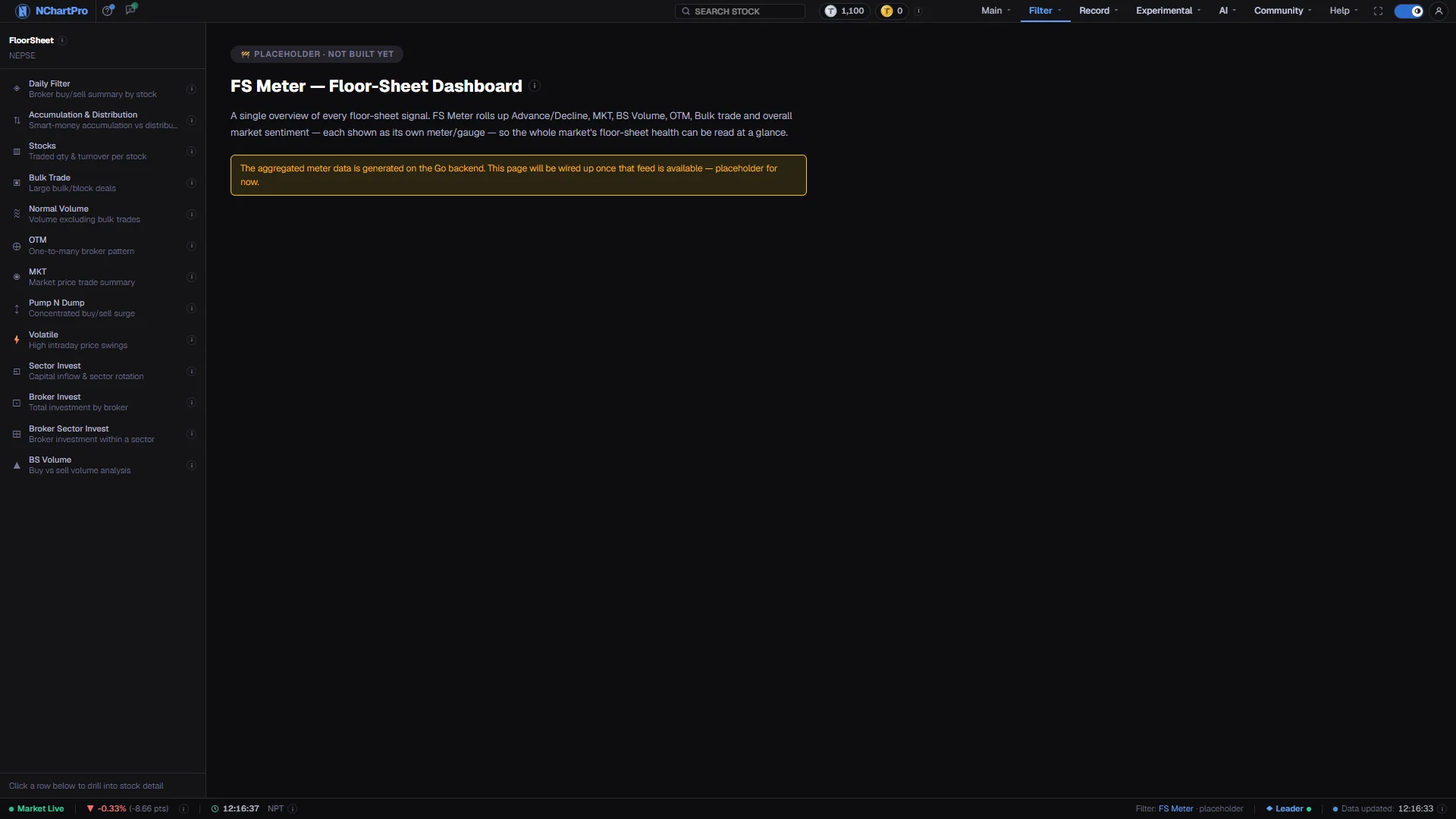
What this page is
FS Meter is meant to sit at the top of the floor-sheet section. Each of the other filters would be reduced to a single gauge — advance and decline, MKT, BS Volume, OTM, bulk trade and an overall sentiment score — so a day can be read without opening six pages in turn.
That roll-up has to be computed on the backend, and the feed does not exist yet. Rather than draw gauges from invented numbers, the page shows a placeholder card describing what it will hold. Nothing on the screen is a market reading.
Why it helps you
- Nothing usable here today. For the same signals, work down the left menu: MKT for aggressive hitting, Bulk Trade for block money, Pump N Dump for one-way pressure, BS Volume for which side was pushing.
- When it does arrive, it is meant to shorten the first few minutes of an after-close routine, not to replace opening the individual page once something looks unusual.
- A daily gauge board summarises one session, so it is a trader instrument by design and this one will be no different.
- Nothing on this page will bear on a holding you intend to keep for years. Sector Invest, and the fundamental and screener filters, are the pages worth your time instead.
When to use it, and where to find it
- Not yet. The only reason to open it now is to check whether the feed has been switched on.
- Once it is live, the moment for it is after the close, when the full floor sheet has been downloaded and every signal it summarises has landed.
Try it — a short walkthrough
- 1Read the badge before anything elseThe card is labelled as a placeholder. That label is the whole status of the page — there is no hidden data view behind a toggle.See this part in detail →
- 2Check what is blocking itThe note under the description names the missing piece: the aggregated meter feed on the Go backend. When that note changes, the page has changed.See this part in detail →
- 3Go to the signal you actually wantedPick the individual filter from the left menu. Your sector, stock and date choices carry across, so you land on the same day you were looking at.See this part in detail →
Every part of the page
In the order you meet them on screen, each with a close-up of the real thing. The numbers match the dots on the figure above.
The placeholder badge
This pill at the top says "Placeholder · not built yet". Any page in the app carrying it has no data behind it.
How — When the badge disappears, the page is real. Until then treat everything below it as a description of a plan.
What it is meant to be
A floor-sheet dashboard: one overview that rolls up every floor-sheet signal, each shown as its own meter or gauge, so the whole market's floor-sheet health can be read at a glance.
How — The ⓘ next to the heading holds the same explanation in full, including the planned gauge list.
The planned gauges
Advance/Decline (how many stocks rose versus fell), MKT, BS Volume (buy versus sell pressure), OTM, Bulk Trade, and an overall sentiment score.
How — Each would be computed on the backend from the same daily floor-sheet tables the other filter pages already read — so the numbers would agree with those pages, not be a second opinion.
The status note
The amber note states the blocker plainly: the aggregated meter data is generated on the Go backend, and this page will be wired up once that feed is available.
How — Nothing you can click here will change that — there is no hidden setting to switch on.
The status bar repeats it
The bar along the bottom of the app names the active filter and, on this page, marks it "placeholder" — so you can tell at a glance which filter you are on and whether it has data.
How — On the working filter pages this same bar shows the market open/closed dot, the sector and stock you have selected, and the last update time instead.
Where to go instead
Every signal FS Meter would summarise already has its own working page in this menu, reading real floor-sheet data.
How — Click Daily Filter for broker buy/sell per stock, BS Volume for buy versus sell pressure, Bulk Trade for the large deals, OTM for broker concentration, or MKT for aggressive back-to-back trading.
- One other entry in this menu is also a placeholder: Hot Stock.
Reading the numbers
- There are no columns, units or values on this page. What you see is a title, a description of the intended gauges, and a status note.
- The ⓘ on the card lists the planned gauges and states plainly that none of them are live. It is the most accurate thing on the screen.
- The status bar at the bottom repeats the placeholder state, so the page cannot be mistaken for a quiet market day.
What it does not do
- This is a scaffolded placeholder, not a working filter. No gauge, score or number is rendered, and none is computed.
- Blank is deliberate. The choice was to show nothing rather than seed values that would read as a market signal.
- When the feed does land, the gauges will inherit the floor sheet's own timing: broker-based signals are incomplete until the full floor sheet arrives after the close, so an early-afternoon meter would be a partial reading.
Questions people ask
Neither. It has never had data. The placeholder badge is shown on every day, in every market condition.
The individual filters in the left menu cover every signal FS Meter plans to summarise. Daily Filter and BS Volume are the two most people start with.