

Portfolio Graph
Every buy and sell you recorded is played back against the actual historical prices of those stocks, so the line shows what the portfolio was worth at each moment behind you.
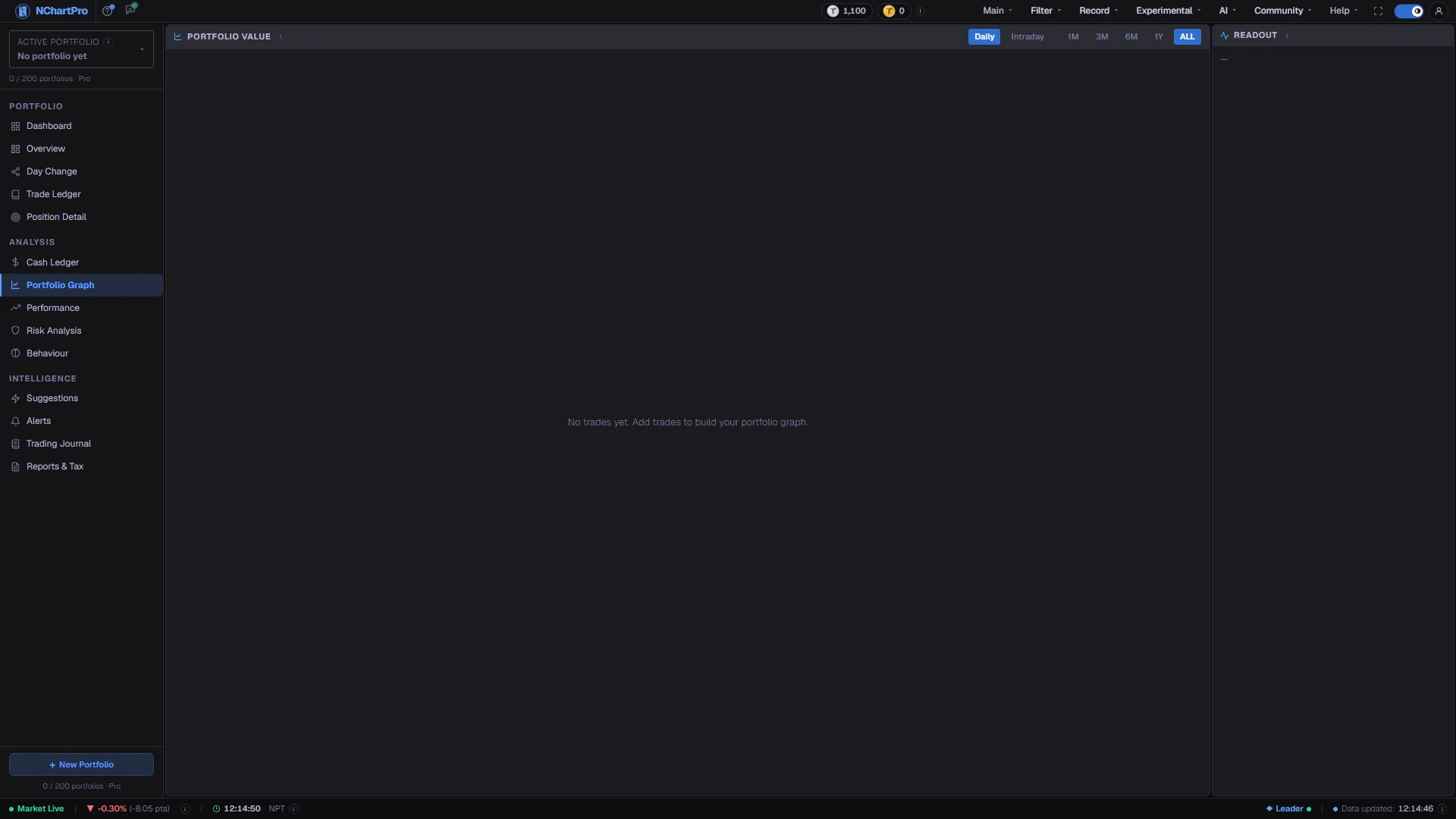
What this page is
Portfolio Graph rebuilds your value history from first principles. It takes the trades in the selected portfolio, works out what you held on every past date, multiplies by that stock's closing price on the day, and draws the result. Nothing is stored in advance, so it works from your very first trade onwards.
Two lines carry the meaning. The thick line is total value; the gold line is what you paid. The gap between them is your paper profit, and the total line is drawn green while it sits at or above cost and red while it sits below.
The panel on the right is the numeric half of the page. It follows your crosshair, so pointing at any moment gives the exact value, cost basis and unrealized profit at that moment, plus a clickable list of every line on the chart.
Daily covers months and years from closing prices. Intraday covers the last seven days from minute data, bucketed into five-minute, fifteen-minute or hourly steps.
Why it helps you
- Intraday mode is the one place you can watch the whole book move rather than one symbol. On a fast day it shows whether the account is being carried by one position or genuinely broad.
- The crossings of the total line and the gold cost line are a drawdown record. How long you spent below cost, and how you behaved during it, is more informative than the final number.
- Turning individual stock lines off in the Lines list is the quickest way to test a hunch about which holding is actually driving the shape of the curve.
- Range Change moves with whatever range is on screen, because the starting point changes. Read it as the move over the window you are looking at, not as a fixed performance figure.
- This is the compounding picture. Over 1Y or ALL, the widening or narrowing gap between the total line and the cost line is your actual multi-year result, drawn rather than tabulated.
- The gold Invested line is a record of your discipline: each step up is capital you committed, so the curve shows whether you kept buying through weakness or only when things looked easy.
- A thin stock line beginning part-way through is not missing data — it starts on the day you first owned that stock, which makes it a visual timeline of how the portfolio was built.
- Because it needs no saved snapshots, this page can show you years of history the moment you have entered your old trades. It is the fastest way to see a long record you never tracked at the time.
When to use it, and where to find it
- After a heavy stretch in the market, to see the size of the move in the context of your whole history rather than one day.
- At a quarter or year end, when the question is the shape of the curve, not today's price.
- Once you finish entering historic trades, to check the rebuilt history looks the way you remember it.
- Intraday, during a volatile session, when you want the account-level view instead of watching individual symbols.
Try it — a short walkthrough
- 1Choose the portfolio to replayThe curve is rebuilt from the trades of the portfolio named in the sidebar. Switching recomputes the whole graph for that history.See this part in detail →
- 2Read the colour before the numbersThe thick line is green wherever it sits at or above the gold Invested line, and red where it sits below. That alone tells you whether you were in profit at that point.See this part in detail →
- 3Watch where the two lines crossEvery dip of the total line below the gold cost line is a period the portfolio was under water. The width of those stretches is your real drawdown experience.See this part in detail →
- 4Pick the right timeframeUse Daily with 1M, 3M, 6M, 1Y or ALL to judge months and years. Switch to Intraday for the last seven days at 5m, 15m or 1h resolution.See this part in detail →
- 5Hover for the exact numbersMove the mouse across the chart and read the panel on the right: value at that moment, cost basis, unrealized profit and the change over the range on screen.See this part in detail →
- 6Isolate a holdingClick names in the Lines list to hide or show individual stock lines. Leaving two visible is the cleanest way to compare them against each other.See this part in detail →
Every part of the page
In the order you meet them on screen, each with a close-up of the real thing. The numbers match the dots on the figure above.
Which portfolio is being replayed
The curve is rebuilt from the trades of the portfolio named here. Switch portfolio and the whole graph is recomputed for that trade history.
How — Click the box to change portfolio, rename one, or create another.
- The graph refreshes roughly once a minute while you have it open, so the final live point keeps up with the market.
Portfolio Value
The thick line is your TOTAL value at each point in time: Σ (shares you held then × that stock's closing price then). The final point of the daily view is marked to the LIVE market price.
How — Drag to pan, scroll to zoom, and move the mouse across the chart — the panel on the right follows your crosshair.
- The Total line is drawn GREEN while it sits at or above the gold Invested line, and RED while it sits below. The colour alone tells you whether you are in profit.
- Times on the axis and in the crosshair are Nepal time (NPT).
The gold Invested line and the thin stock lines
The gold line is Invested — Σ (shares held × your average buy price at that time), in other words your cost. The gap between the thick Total line and the gold line IS your paper profit or loss.
How — Watch the crossings: each point where Total dips below Invested is a moment your portfolio was under water.
- The thin coloured lines are individual stocks. A line only begins on the day you first owned that stock, so a short line is not missing data.
- Stock lines deliberately avoid red, green and gold — those three colours are reserved for Total above, Total below, and Invested.
Daily / Intraday and the range buttons
Daily plots end-of-day closing prices over 1M / 3M / 6M / 1Y / ALL. Intraday plots minute prices from the last 7 days, grouped into 5m, 15m or 1h buckets.
How — Use Daily to judge months and years; switch to Intraday when you want to see how today or this week actually moved.
- In Intraday, each bucket takes its LAST price in that interval — the same "close" convention a candle uses.
- Intraday only has the last 7 days of minute data, so it is not a substitute for the Daily view.
- Switching mode or range resets the right-hand readout to the newest point.
The Readout panel
The exact numbers behind the chart at whichever moment you are pointing at. It shows the newest point by default and follows your mouse as you hover the chart.
How — The dot at the top tells you which you are reading: a blue dot means a hovered moment, a grey dot means the latest value.
- The big figure is the Portfolio Value at the point being read. Cr = crore (Rs 1,00,00,000), L = lakh (Rs 1,00,000).
- When you hover, the timestamp above it is shown in Nepal time (NPT), with the time of day included in Intraday mode.
Range change, Invested and Unrealized
Four rows: the change over the range on screen, your cost basis at that point, the paper profit, and how many stocks you hold.
How — Remember that Range Change depends on what is on screen — switching 1M / 3M / ALL changes it, because the starting point changes.
- Range / Session Change = value at the point being read minus the value at the FIRST point of the range currently drawn.
- Invested is your cost basis at that point: Σ (shares held × average buy price). "Cost basis" simply means what you paid.
- Unrealized P/L = Value − Invested, with the % of Invested underneath. It is paper profit only; nothing is deducted for fees or tax.
The Lines list — the chart legend you can click
Every line on the chart with its value at the moment you are reading: Total, Invested, and one row per stock.
How — Click any name to hide or show that line. Hiding the busy stocks is the quickest way to compare just two holdings against each other.
- The Total row cannot be switched off — it is the point of the page. Its swatch turns green or red to match whether it sits above or below Invested.
- Values here are read at the same crosshair point as the panel above, so hovering the chart updates the whole list at once.
Two other value views
This page is one of three ways the app draws your value. They use different inputs on purpose.
How — The Dashboard chart and Performance both read SAVED daily snapshots, so they can be empty even when this page is full. Day Change is the same idea narrowed to a single trading day, with a shareable card.
- If the Dashboard chart says "No performance data" but this page draws a curve, that difference is expected — not a fault.
Reading the numbers
- The total line is Σ (shares you held then × that stock's closing price then). The final point of the daily view is marked to the live market price.
- The gold Invested line is Σ (shares held × your average buy price at that time) — your cost basis, meaning simply what you paid.
- Unrealized P/L in the panel is Value − Invested, with the percentage of Invested underneath. It is paper profit: no fee and no tax is deducted.
- Range / Session Change is the value at the point you are reading minus the value at the first point of the range currently drawn, so it changes when you change the range.
- In Intraday each bucket takes the last price in its interval, the same convention a candle close uses. Only the last seven days of minute data exist, so Intraday is not a substitute for Daily.
- Times on the axis and in the crosshair are Nepal time. Cr is crore (Rs 10,000,000) and L is lakh (Rs 100,000).
- Stock lines deliberately avoid red, green and gold, which are reserved for total-above, total-below and Invested.
What it does not do
- The replay is only as accurate as your trade dates. A buy entered on the wrong date moves the entire curve from that point forward, and nothing flags it.
- This page shows value, not return. It does not adjust for money you added, so a rising line can mean fresh deposits rather than performance — read it against the gold Invested line, which rises with new capital too.
- Intraday holds seven days of minute data. Anything older must be read from the Daily view.
- A stock with no price history stored cannot contribute a line, so a very newly listed holding may be missing from the breakdown even though its value is counted.
- It reads "No trades yet. Add trades to build your portfolio graph." until something exists in the Trade Ledger.
Questions people ask
Both. The Dashboard chart and the Performance page read saved daily snapshots, which accumulate over time. This page recomputes from your trades and real past prices, so it works immediately. The difference is expected.
Green means the total value sits at or above the gold Invested line at that point in time. Invested is cost for shares you still hold; profit or loss you already banked is not part of this chart.
No. A stock line begins on the day you first owned it, so a recent purchase produces a short line by design.
Yes. It refreshes about once a minute while the page is open, so the newest point tracks the live market.